Acceseaza http://myaccount.google.com/security
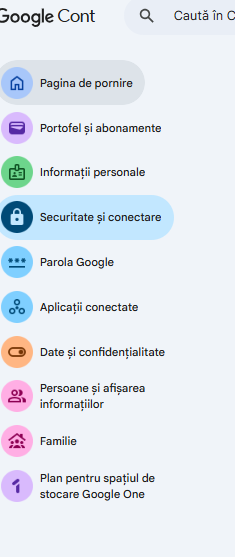
Apoi mergi la securitate si conectare
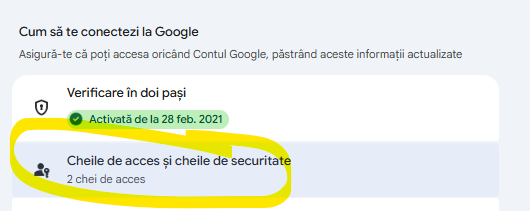
Click pe Cheile de acces si cheile de securitate
Daca ai deja autentificarea cu 2 pasi activa, realizeaza si autentificarea prin cheie de securitate.
Click pe butonul abastru, inregistreaza windows hello
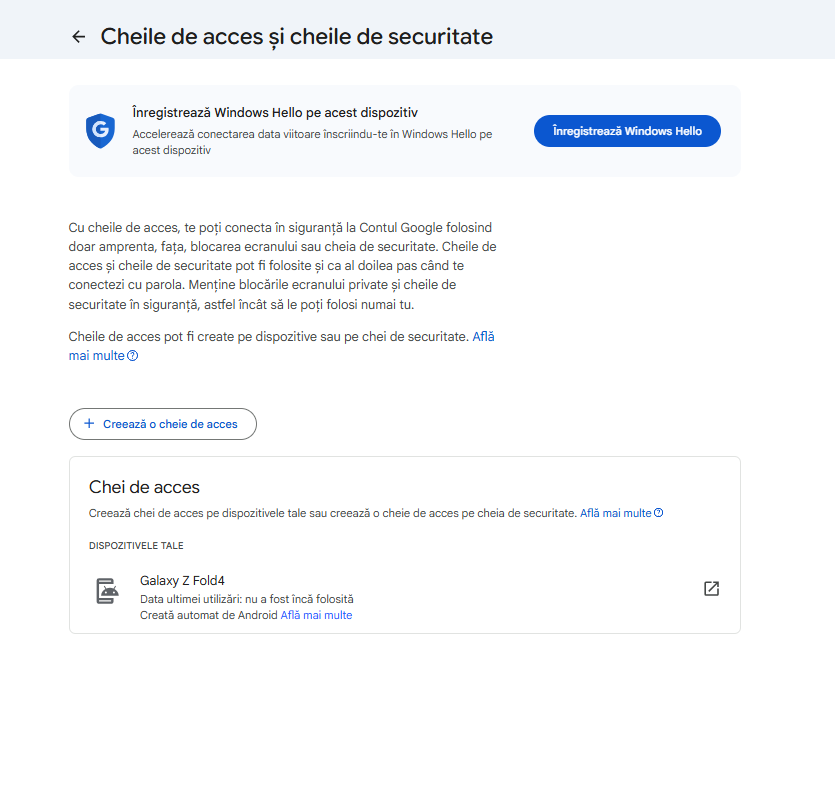
Pe calculatorul tau se va adauga o modalitate de autentificare prin face id, amprentă sau PIN numeric (nu e acelasi lucru cu parola de la user de windows).
Dupa confirmare, va aparea asa
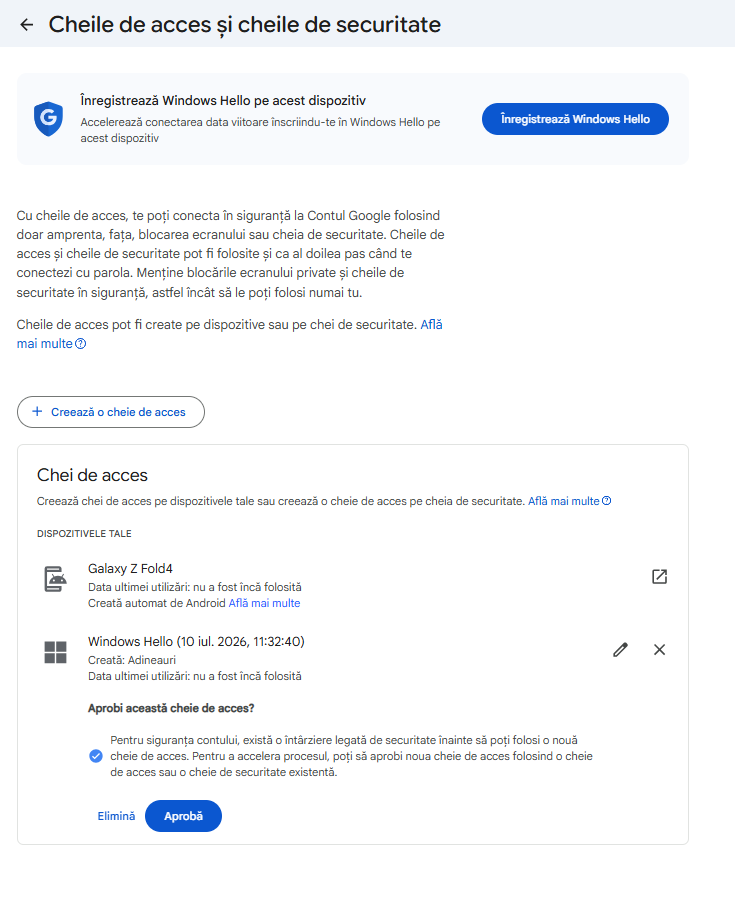
Ideal sa autentifici mai multe dispozitive.
What happens if i loose access to my device
If you lose your device, you will not be locked out. Because passkeys sync across devices via Google Password Manager or iCloud Keychain, your keys are backed up. You can simply sign in using another device or recover your account using your standard login methods
What to Do If Your Device Is Lost
1. Use Another Synced Device
If you have a laptop, tablet, or secondary phone where you are already signed into your Google Account, your passkeys will automatically be available there. When a site asks for your passkey, select Use passkey from another device or Use a phone or tablet
2. Use Fallback Sign-In Methods
If you do not have another device, you can still access your account. When prompted for a passkey, click Try another way. You will then be able to log in using:
- Your standard account password
- A verification code sent to your email or phone number
- Backup codes
3. Revoke Access for the Lost Device
Once you regain access to your account, you should immediately remove the lost device to prevent unauthorized access to your passkeys. Go to your
Google Account Devices page to sign out of the lost phone or tablet. You can also review and delete specific passkeys in your
Google Sign-in Options menu.
When you get a new phone or computer, it will securely sync your existing passkeys the moment you log into your Google or Apple account. You can then set up a new passkey on your new device using its built-in screen lock or biometrics.
Could you tell me if you have access to any other device (like a laptop) or if this is your only way to access your account? I can give you the exact recovery steps you need right now.